| System Requirements | |
|---|---|
| Operation System | Windows® 7, Windows 8.1, Windows 10 or later; MacOS™ 10.10 or later; Chrome OS; Linux |
| System Requirement | HDMI Output & USB Type-A |
| WiFi Frequency/Authentication Protocol | 2.4GHz & 5GHz/5.8GHz dual band 802.11 a/b/g/n/AC ; WPA2-PSK |
| Resolution/Frame Rate | FHD/30 fps |
| Extended Desktop | Available |
| Simultaneous Connections | Unlimited |
| Number Of Sources Simultaneous On Screen | 4 (ViewBoard Cast receiver); 16 (ViewBoard Cast Pro receiver) |
| Touch Control Back | Support 10 points |
| Power & Connectivity | |
| Power | Voltage: 5V 650mA |
| Connector | USB: USB2.0 Type-A compatible to USB2.0/3.0 HDMI: HDMI 1.2 above |
| Environmental Conditions | |
| Operating Condition | Temperature: 32°F to 104°F (0°C to 40°C) Humidity: 20% ~ 90% non-condensing |
| Storage Condition | Temperature: -10°C to 60°C Humidity: 20% ~ 90% non-condensing |
| Dimensions & Weight | |
| Dimensions (W x H x D) | Physical: 225.7 x 25.2 x 61.8 mm (8.9 × 1.0 × 2.4 in) Packaging: 260.5 x 42 x 103.5 mm (10.3 × 1.7 × 4.1 in) |
| Weight | Physical (Net): 117 g (0.26 lb) Packaging (Gross): 340 g (0.75 lb) |
| Regulations | |
| Certifications | FCC, FCC ID, ICID, CE, RED, BSMI, NCC, MIC, WPC, NTC |
| Package | |
| Quick Start Guide | Languages: English, Danish, Dutch, Finnish, French, German, Italian, Norwegian, Polish, Russian, Spanish, Swedish, Turkish, Indonesian, Vietnamese, Traditional Chinese, Simplified Chinese, Arabic |
| Package Contents | 1. VB-WPS-003 2. Quick Start Guide |


Video Conferencing Solutions
Sales Enquiry
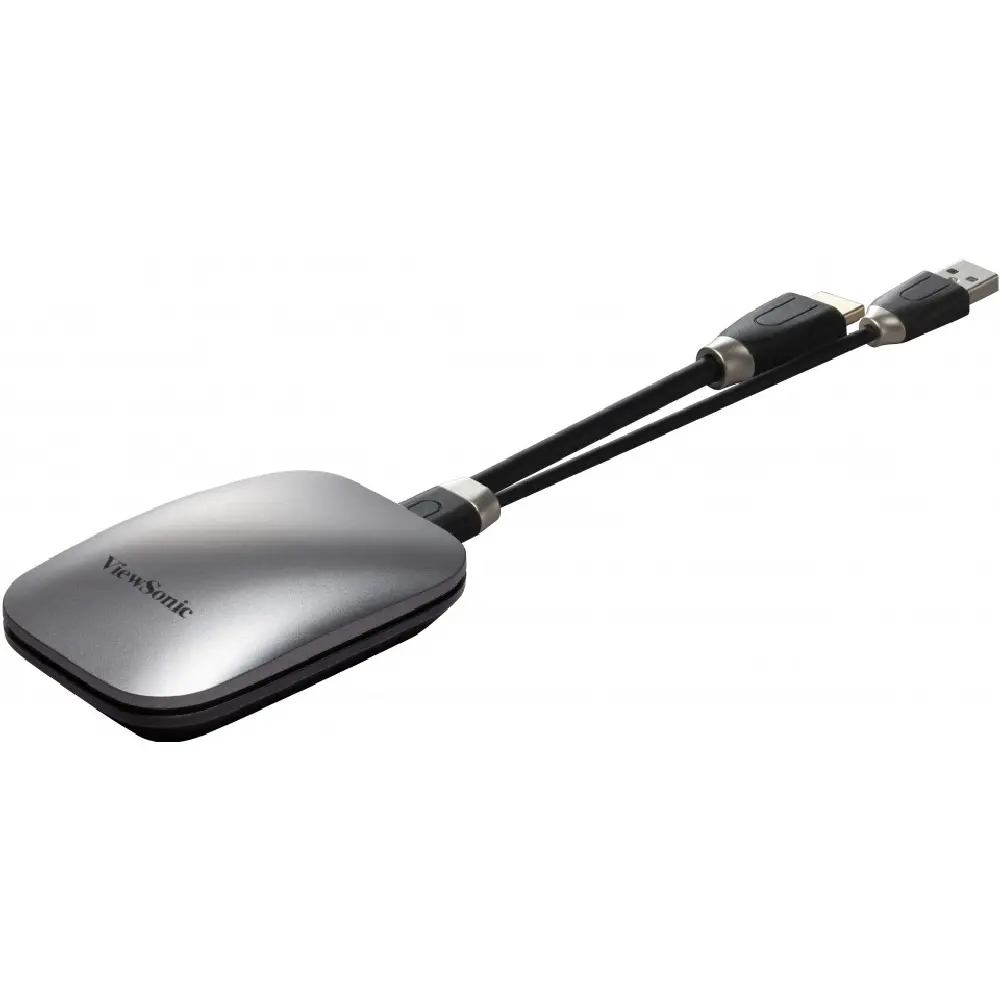
ViewSonic VB-WPS-003
- Connect and share content with a click
- Secure and safeguard your data
- Uninterrupted connectivity with USB-C or HDMI
- Collaborate across multiple devices instantly
- Compatible with Windows, Mac and Chrome OS
Overview
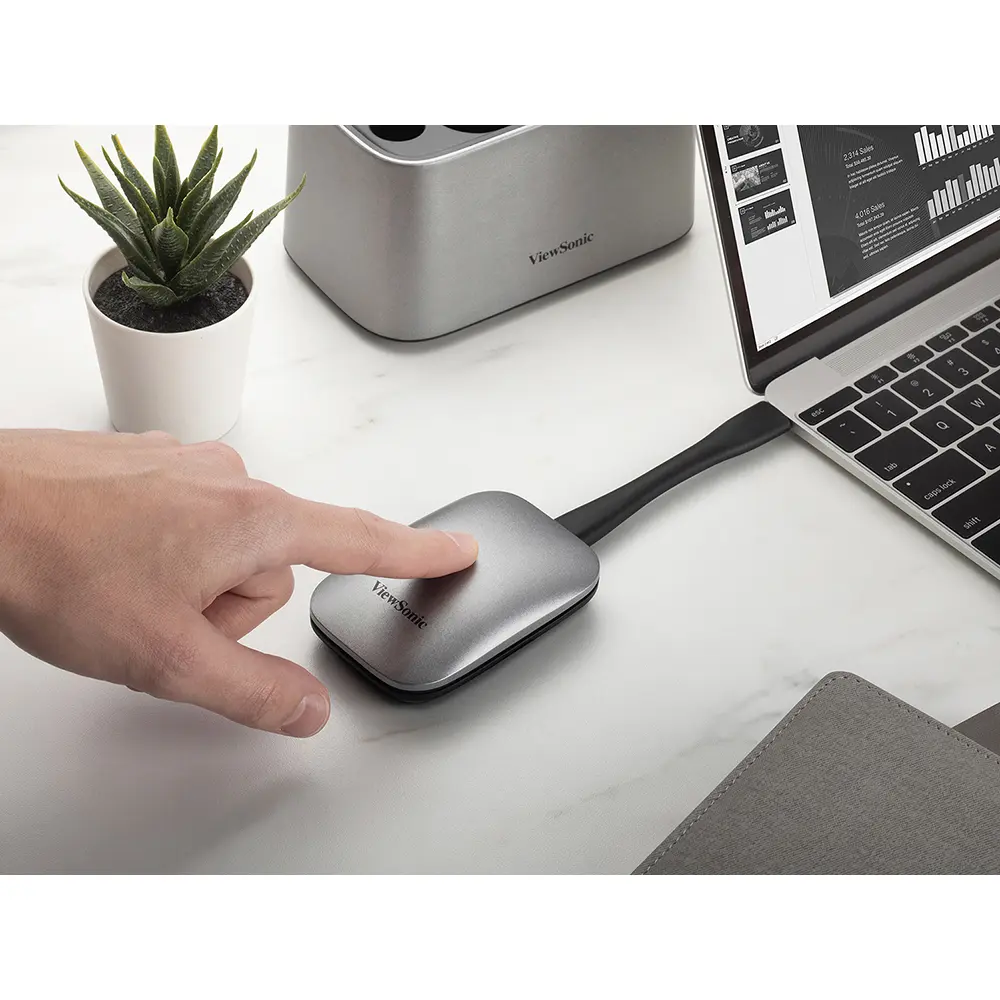
Enhance and elevate your meetings and presentations with just one tap. The ViewBoard® Cast Button eliminates complicated setups, time-consuming installations, and unwanted clutter, giving you more time to create, collaborate, and connect. Connect your device and cast your content effortlessly from your preferred device to your wireless display through USB-C or HDMI cable. Secured with WPA2-PSK encryption, you can present and participate with guaranteed peace of mind.
Uninterrupted connectivity
Connect the ViewBoard® Cast Button and your device via the HDMI or USB-C cable, and you can showcase videos of superior clarity without fuss. You can focus on acing your presentation as the Cast Button gets powered at the same time.
Superior compatibility
Compatible with various operating systems(Windows, Mac and Chrome OS), the ViewBoard® Cast Button lets you participate and present from your preferred device without hassle.
Optimize your meetings
Make your wireless meetings and presentations more effective and efficient with a single tap. The ViewBoard® Cast Button allows up to 4 persons to present on a ViewBoard®/Wireless Presentation Display at once, giving everyone the ability to participate and present.
Enhance your presentations
The ViewBoard® Cast Button helps you manage and streamline meetings better. Add notes and save presentations directly on the ViewBoard® Interactive Display. Move from PowerPoint to YouTube seamlessly without switching devices. Meetings will now be a breeze for everyone.
Uncompromising security and privacy
Elevate collaboration and content-sharing without risking cybersecurity. With ViewBoard® Cast Button, there is no need to connect to your company’s network or install external software. Secured with WPA2-PSK encryption, simply plug it into your device and share data safely and seamlessly.
Dimensions & I/O Ports
 HDMI
HDMI- USB 2.0
- Flashing Blue Light : Connecting to your device
- Static Blue Light : Connected, ready to cast
- Static White Light : Casting
Related products
-
Video Conferencing Solutions
ViewSonic VB-WPS-001
-
Video Conferencing Solutions
ViewSonic VB-CAM-002
-
Video Conferencing Solutions
Viewsonic VB-AUD-201
-
Video Conferencing Solutions
Viewsonic VB-VIS-002