| Display | |
|---|---|
| Display Size (in.) | 24 |
| Viewable Area (in.) | 23.8 |
| Panel Type | IPS Technology |
| Resolution | 1920 x 1080 |
| Resolution Type | FHD (Full HD) |
| Static Contrast Ratio | 1,000:1 (typ) |
| Dynamic Contrast Ratio | 50M:1 |
| Light Source | LED |
| Brightness | 250 cd/m² (typ) |
| Colors | 16.7M |
| Color Space Support | 8 bit (6 bit + A-FRC) |
| Aspect Ratio | 16:9 |
| Response Time (Typical GTG) | 6ms |
| Response Time (GTG w/OD) | 6ms |
| Viewing Angles | 178º horizontal, 178º vertical |
| Backlight Life (Hours) | 30000 Hrs (Min) |
| Curvature | Flat |
| Refresh Rate (Hz) | 60 |
| Blue Light Filter | Yes |
| Flicker-Free | Yes |
| Color Gamut | NTSC: 72% size (Typ), sRGB: 102% size (Typ) |
| Pixel Size | 0.275 mm (H) x 0.275 mm (V) |
| Touch Screen | Projected Capacitive, 10-point multi-touch |
| Surface Treatment | Anti-Glare, Hard Coating (3H) |
| Compatibility | |
| PC Resolution (max) | 1920×1080 |
| Mac® Resolution (max) | 1920×1080 |
| PC Operating System | Windows 7/8/8.1/10/11 certified; macOS tested |
| Mac® Resolution (min) | 1920×1080 |
| Connector | |
| USB 3.2 Type A Down Stream | 2 |
| USB 3.2 Type B Up Stream | 1 |
| USB 3.2 Type C Up Stream; DisplayPort Alt mode | 1 (60W power charger) |
| 3.5mm Audio Out | 1 |
| HDMI 1.4 | 1 |
| DisplayPort | 1 |
| DisplayPort Out | 1 |
| Power in | 3-pin Socket (IEC C14 / CEE22) |
| Audio | |
| Internal Speakers | 2Watts x2 |
| Power | |
| Eco Mode (Conserve) | 9.7W |
| Eco Mode (optimized) | 12.8W |
| Consumption (typical) | 17.9W |
| Consumption (max) | 20.4W |
| Voltage | AC 100-240V |
| Stand-by | 0.3W |
| Power Supply | Internal Power Supply |
| Additional Hardware | |
| Kensington Lock Slot | 1 |
| Controls | |
| Physical Controls | Key 1 (eye), Key 2, Key 3, Key 4, Key 5, Key 6 (power) |
| On Screen Display | Input Select, Audio Adjust, ViewMode, Color Adjust, Manual Image Adjust, Setup Menu |
| Operating Conditions | |
| Temperature | 32°F to 104°F (0°C to 40°C) |
| Humidity (non-condensing) | 20% to 90% |
| Wall Mount | |
| VESA Compatible | 100 x 100 mm |
| Input Signal | |
| Frequency Horizontal | 15 ~ 82KHz |
| Frequency Vertical | 50 ~ 75Hz |
| Video Input | |
| Digital Sync | TMDS – HDMI (v1.4), PCI-E – DisplayPort (v1.2), Micro-Packet – Type C |
| Ergonomics | |
| Tilt (Forward/Back) | -5º / 60º |
| Weight (imperial) | |
| Net (lbs) | 14.2 |
| Net Without Stand (lbs) | 8.2 |
| Gross (lbs) | 18.6 |
| Weight (metric) | |
| Net (kg) | 6.4 |
| Net Without Stand (kg) | 3.7 |
| Gross (kg) | 8.4 |
| Dimensions (imperial) (wxhxd) | |
| Packaging (in.) | 24.3 x 16.3 x 11.2 |
| Physical (in.) | 21.2 x 16.8 x 11.3 |
| Physical Without Stand (in.) | 21.2 x 12.6 x 2 |
| Dimensions (metric) (wxhxd) | |
| Packaging (mm) | 617 x 415 x 285 |
| Physical (mm) | 539 x 426 x 286 |
| Physical Without Stand (mm) | 539 x 320 x 52 |
| General | |
| Regulations | cTUVus, FCC-B, ICES003, Energy Star, EPEAT, CEC, MX-CoC, Mexico Energy, CE, CE EMC, CB, RoHS, ErP, REACH, WEEE, EAC, UkrSEPRO, UKCA, BSMI, PSB, RCM, GEMS, BIS, CCC, China RoHS, China Energy Label, CECP |
| PACKAGE CONTENTS | TD2455 x1, 3-pin Plug (IEC C13 / CEE22) x1, DisplayPort Cable (v1.2; Male-Male) x1, USB A/B Cable (v3.2; Male-Male) x1, Quick Start Guide x1, Passive touch pen x1, Passive touch pen head x1 |
| Recycle/Disposal | Please dispose of in accordance with local, state or federal laws. |
| Warranty | *Warranty offered may differ from market to market |
| Power Management | Energy Star standards, EPEAT |
Monitor
Sales Enquiry
ViewSonic TD2455
- Versatile touch applications
- Accurate yet smooth touch experience
- USB Type-C one cable solution
- DisplayPort out supporting Daisy Chain
- Highly adjustable working angles to suit different needs
Overview
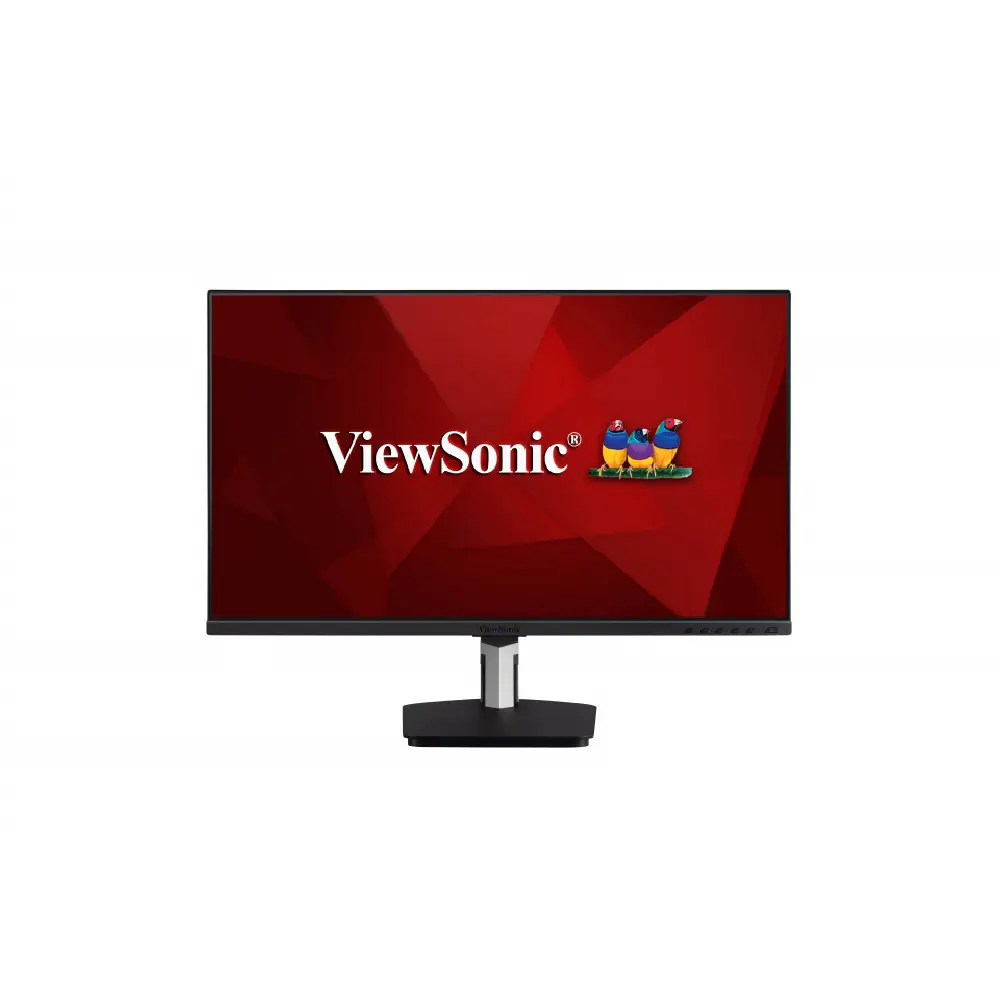
With responsive in-cell touch technology and an advanced ergonomic design, the ViewSonic® TD2455 touch monitor delivers hands-on control for more productive workspaces and collaborative classrooms. With high-performance in-cell touch technology, this 24” (23.8” viewable) Full HD display provides smooth and responsive touch tracking, along with amazing screen performance, within a sleek and bezel-less design. USB Type-C connectivity offers a single-cable plug-and-play solution for laptops, while DisplayPort output enables easy screen mirroring or extended desktops ideal for office productivity and podium touch applications such as conference rooms or classrooms. A magnetic stylus pen lets you write or draw on screen, and easily attaches to the display stand for secure storage. So whether used on its own on office desktops, as a presentation station in corporate meeting spaces, or as a front-of-classroom interactive teaching hub, the TD2455 helps to boost efficiency and productivity. *Some laptops may need to enter BIOS mode and change the power management setting to “tap-to-wake”.
Versatile Touch Applications
Whether used as a check-in kiosk at reception, as a collaboration station with co-workers and colleagues at the office, or as a touch podium for front-facing teaching, this sleek and slim touch display seamlessly integrates into your workflow for boosted efficiency and productivity.
Agile yet Scalable Touch Display
Efficient Multitasking
With advanced DisplayPort Multi-Stream technology and support for up to 4-screen daisy chaining*, this display can transform into the ultimate touch screen workstation – in mirror and extended modes – for increased productivity. *up to 4 with a PC; up to 3 with a laptop
DisplayPort Multi-Stream Transport (MST)
Touch Annotation for Presentations
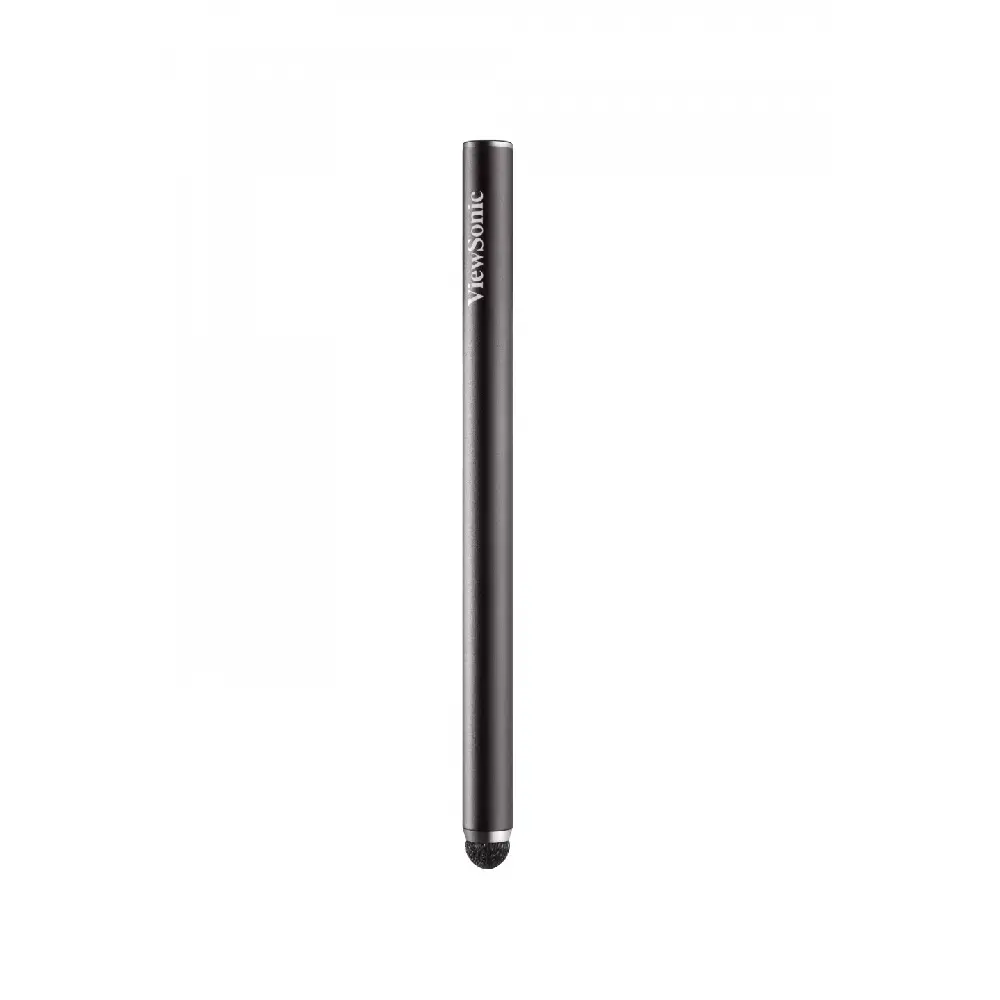
An included stylus pen easily attaches to the magnetic base of the display, and allows you to draw, write notes, or perform other detailed tasks that require more accuracy than your fingertips alone. The pen is especially useful during presentations when the TD2455 is attached to a projector.
Fine Writing Stylus
Accurate yet Smooth Touch Experience
Powered by in-cell touch technology, the TD2455 offers sensitive yet smooth touch response for detailed content editing with fingertips or the touch pen.
10-Point In-Cell Projected Capacitive (PCAP) Touch Technology
Quickly Start Your Work
The latest USB Type-C input transforms this display into a powerful hub by enabling easy connectivity to PC, laptop, and Chrome systems. In addition, it delivers charging power, video, and audio over a single cable.
USB Type-C
Comfortable Working Angles
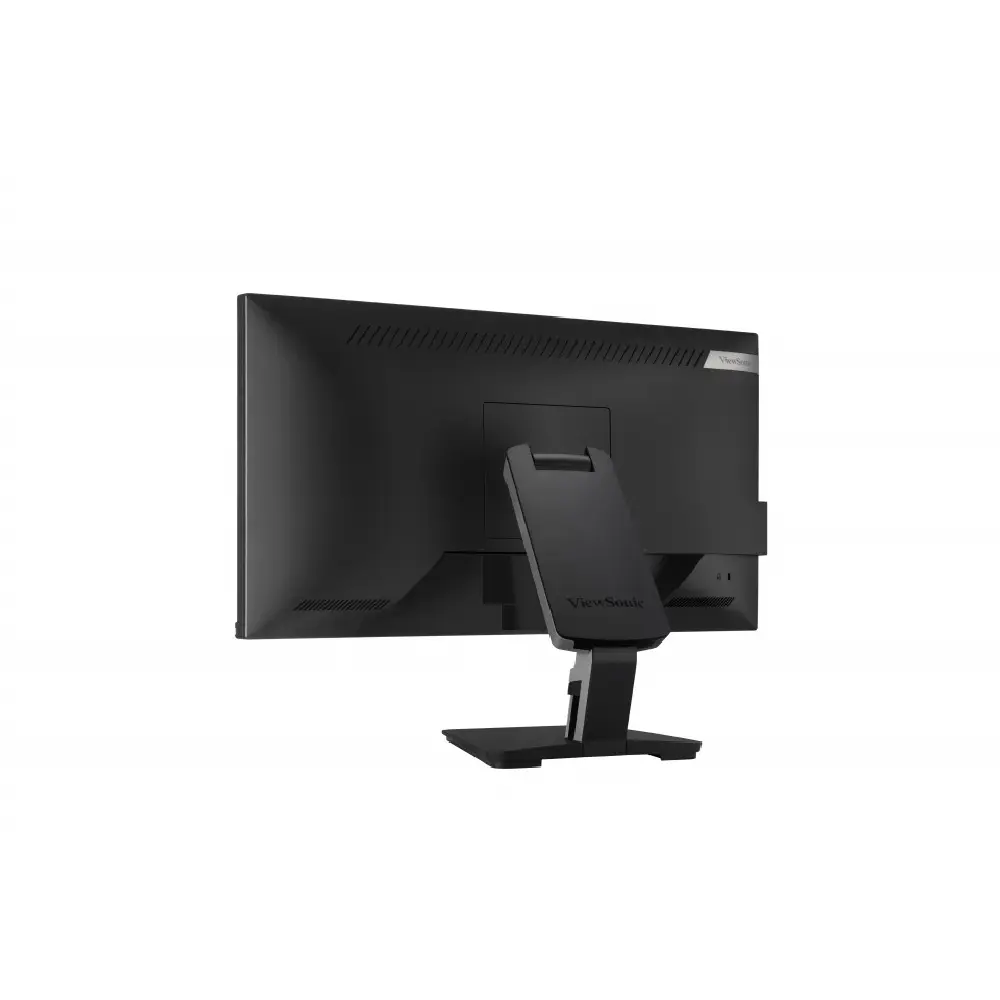
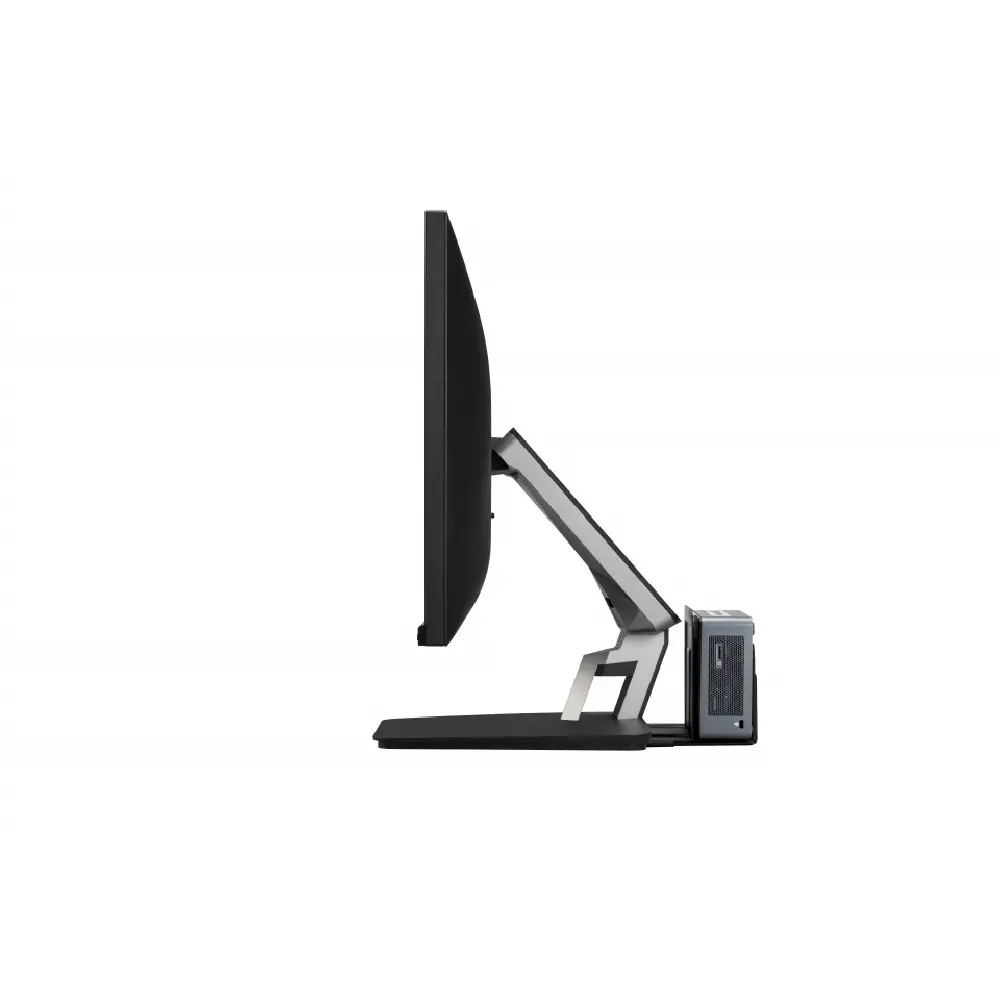
Designed with an ergonomically advanced dual-hinge stand, this display can be tilted and adjusted to deliver a more comfortable user experience.
Ergonomic Dual-Hinge Design
Incredible Images, Sleek Design
With high-performance in-cell touch technology, this display provides smooth and responsive touch tracking, along with amazing screen performance, within a sleek and bezel-less design.
In-Cell Projected Capacitive (PCAP) Touch Technology
Minimal Design Concept
The ergonomic stand features an integrated client mount for quick installation of optional mini PC mount on the back of the display. Cable management features also keep your workspace neat.
Optional Mini PC Mount
Extra Features
VESA compatibility, low energy consumption with Energy Star, SuperClear® IPS technology, blue light filter, and flicker-free
Dimensions & I/O Ports
 Menu Controls
- VESA Compatible
- (Wall Mount 100x100mm)
- Internal Speakers
- AC IN
- HDMI
- DP IN
- USB Type C
- DP OUT
- (Output/MST daisy chain)
- Audio Out
- USB up stream
Related products
-
Monitor
ViewSonic CDE5520
-
Monitor
VIEWSONIC VG2748
-
Monitor
ViewSonic TD1655
-
Monitor
VIEWSONIC VX2476-SH