| Specifications | Details |
|---|---|
| Type | Desktop Type Sheet Fed Scanner |
| Scanning Sensor Unit | CMOS CIS 1 Line Sensor |
| Optical Resolution | 600 dpi |
| Light Source | RGB LED |
| Scanning Side | Simplex / Duplex / Folio / Skip Blank Page |
| Interface | High speed USB 2.0 (USB 3.0 compatible) |
| Dimensions (W × D × H) | Tray Closed: 300 x 156 x 220 mm Tray Opened: 300 x 235 x 339 mm |
| Weight | Approx. 2.8 kg |
| Power Consumption | Scanning: 12.7 W or less Sleep mode: 1.8 W or less Power tuned off: 0.5 W or less |
| Environmental Compliance | RoHS and ENERGY STAR |
| Black and White Speed | 25 ppm / 50 ipm |
| Colour Speed | 25 ppm / 50 ipm |
| Output Resolution | 150 dpi, 200 dpi, 300 dpi, 400 dpi, 600 dpi |
| Auto Resolution Setting | Yes |
| Colour Mode | Detect Automatically, Black & White, Error Diffusion, Advanced Text Enhancement I, Advanced Text Enhancement II (Windows only), 256-Level Grayscale, 24-bit Colour |
| Daily Duty Cycle | Approx. 1,500 scans/day |
| Image Processing | Background Smoothing, Prevent Bleed Through/Remove Background, Erase Shadow, Colour Dropout (RGB), Colour Enhancement (Red), Moiré Reduction, Double Feed Detection (Ultrasonic Sensor/By Length), Automatic Page Size Detection, MultiStream, Prescan, Text orientation recognition, Deskew, Image Rotation, Job Setting |
| Windows | ISIS / TWAIN Driver (Windows 2000/XP Pro/XP Home/Vista/7/8/10), CaptureOnTouch, Nuance eCopy PDF Pro Office, CardIris, Plug-in: SharePoint, GoogleDocs, SugarSync, Dropbox, OneDrive, EMC Captiva Cloud Runtime controls |
| Mac | ISIS / TWAIN Driver, CaptureOnTouch, Plug-in: SharePoint, GoogleDocs, SugarSync, Dropbox, OneDrive |
| Consumables | Exchange Roller Kit |
| Width | J-Path: 50.8 – 216 mm, Straight Through: 50.8 – 216 mm |
| Length | J-Path: 70 – 356 mm, Straight Through: 53.9 – 356 mm |
| Thickness | J-Path: 52 – 128 g/m² (0.06 – 0.15 mm), Straight Through: 40 – 209 g/m² (0.05 – 0.25 mm) |
| Long Document Mode | Straight Through: Up to 3,000 mm |
| Card Scanning | Straight Through: 53.9 x 85.5 mm, Thickness less than 0.76 mm (Embossed Card is supported) |
| Paper Separation | Retard Roller Method |
| Feeder Capacity | 45 sheets (A4, 80 g/m²) |
| Power Requirements | AC100 – 240V (50/60Hz) |
| Operating Environment | 10 – 32.5 °C (50 – 90.5 °F), Humidity: 20 – 80% RH |


Document Scanner
Sales Enquiry
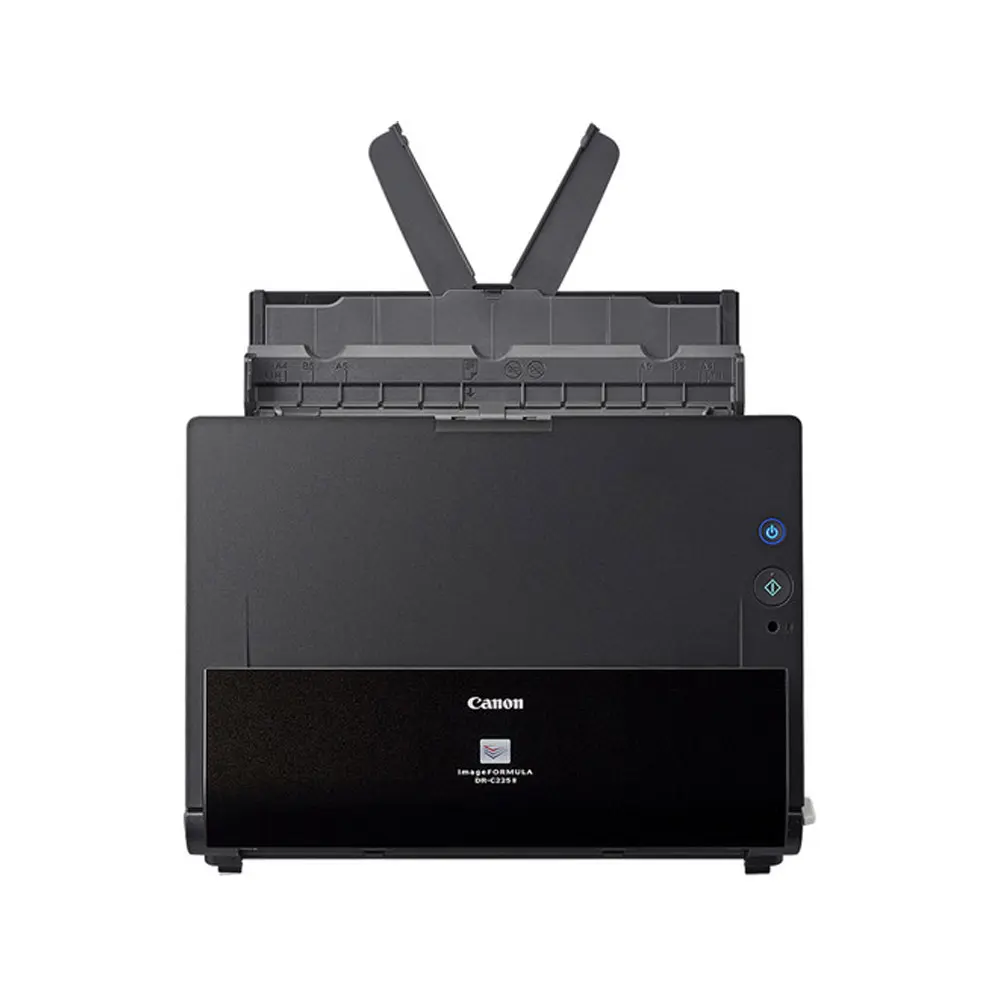
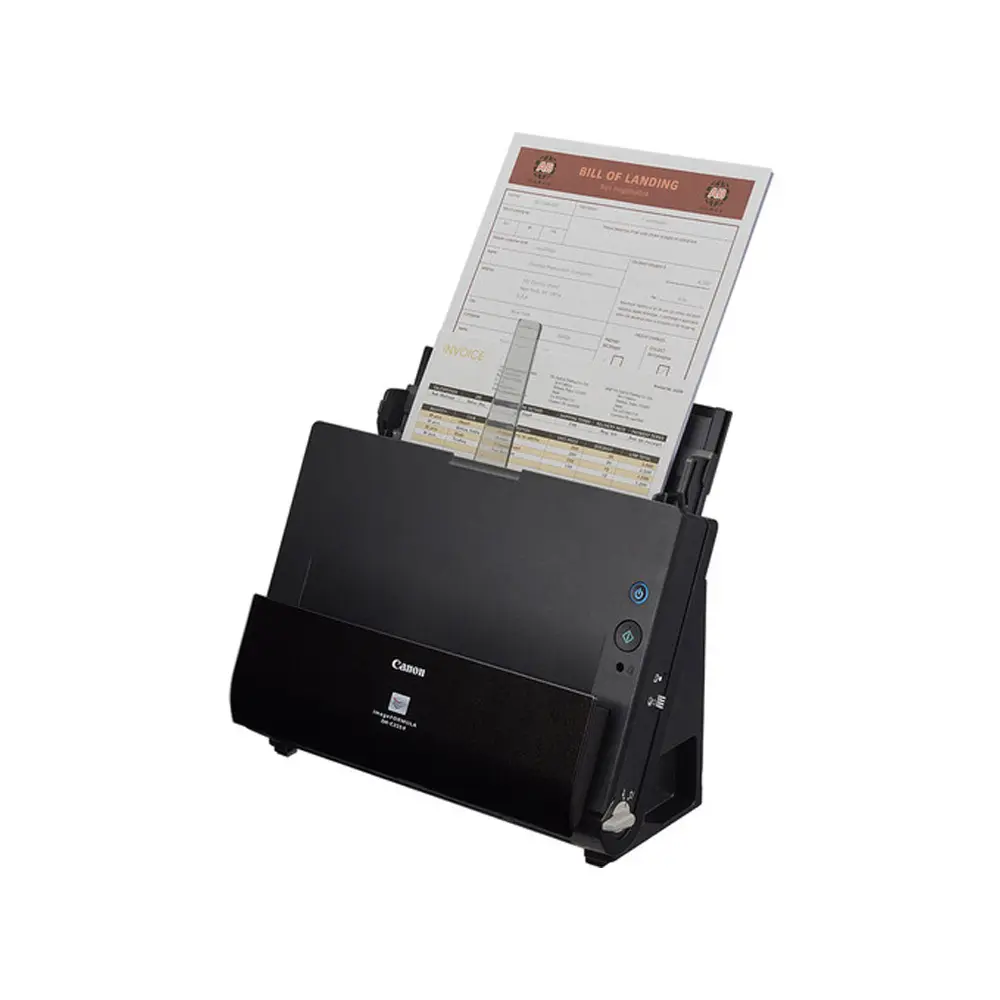
Canon imageFORMULA DR-C225 II Document Scanner
- Intuitive front-side-forward, top-up item feeding to eliminate the need to rotate or flip documents
- Full Auto Mode automatically adjusts multiple settings with a single click
- Canon CaptureOn Touch features one-touch scanning as well as scanning directly to cloud apps, such as Google Drive, Microsoft
- SharePoint, and DropBox. It also supports PDF, PDF/A, JPEG, TIFF, PPTX, BMP and PNG output formats
- Auto Color Detection
- Optical Character Recognition (OCR) to help create searchable and editable information
- Features an upright design with a small footprint
- Top feeding and default top eject
- “U-Turn” path feeding
- Cable management system
- Scans up to 25 pages per minute in monochrome, gray-scale, and color – both sides of an item in a single pass
Overview
Scan documents with the Canon imageFORMULA DR-C225 II Document Scanner. Featuring an optical resolution of 600 dpi, the DR-C225 II provides high image quality along with the ability to scan up to tabloid-sized documents in folio mode or 8.5″-wide sheets using the 30-sheet ADF at up to 25 ppm. There are also features to help improve character legibility as well as straighten and removing shadows from images. A single click allows for the adjustment of multiple features to easily create an optimal scanned image using the intuitive front-side-forward, top-up item feeding. Save your scans in PDF, PDF/A, JBPG, TIFF, PPTX, BMP, or PNG file formats, and you can scan in color, grayscale, or monochrome. The bundled Canon CaptureOnTouch software also enables users to configure routine scan jobs for quick and easy one-touch access.
Related products
-
Document Scanner
Kodak Scan Station 710 Scanner
-
Document Scanner
Canon imageFORMULA DR-M160II Document Scanner
-
Document Scanner
Kodak S2080W Scanner
-
Document Scanner
Canon imageFORMULA DR-C230 Document Scanner